
Cookie Preferences
We use cookies to personalize content and analyze traffic. See our Cookie Policy.
No image yet. Submit the form to generate image.
Explore different use cases and parameter configurations
Transparent pricing with no hidden fees. Pay as you go.
| Rule & Modality | Channel | Credits | Price (USD) | Official / Reference Price | Daily Savings |
|---|---|---|---|---|---|
1K Image imageGoogleresolution: 1K | Starter | 3per run | $0.014 | Google$0.070per run | Based on 10,000 images/dayGoogle costs $563.640/day moreApiPass is 80.52% lower |
2K Image imageGoogleresolution: 2K | Starter | 5per run | $0.023 | Google$0.105per run | Based on 10,000 images/dayGoogle costs $822.730/day moreApiPass is 78.36% lower |
4K Image imageGoogleresolution: 4K | Starter | 7per run | $0.032 | Google$0.140per run | Based on 10,000 images/dayGoogle costs $1081.820/day moreApiPass is 77.27% lower |
Complete guide to using Google Nano Banana 2
Integrate the Nano Banana 2 API on ApiPass. Build with Google's Gemini 3.1 Flash Image technology for fast image generation and editing, production-ready 4K output, accurate text rendering, strong character consistency, and scalable developer workflows.
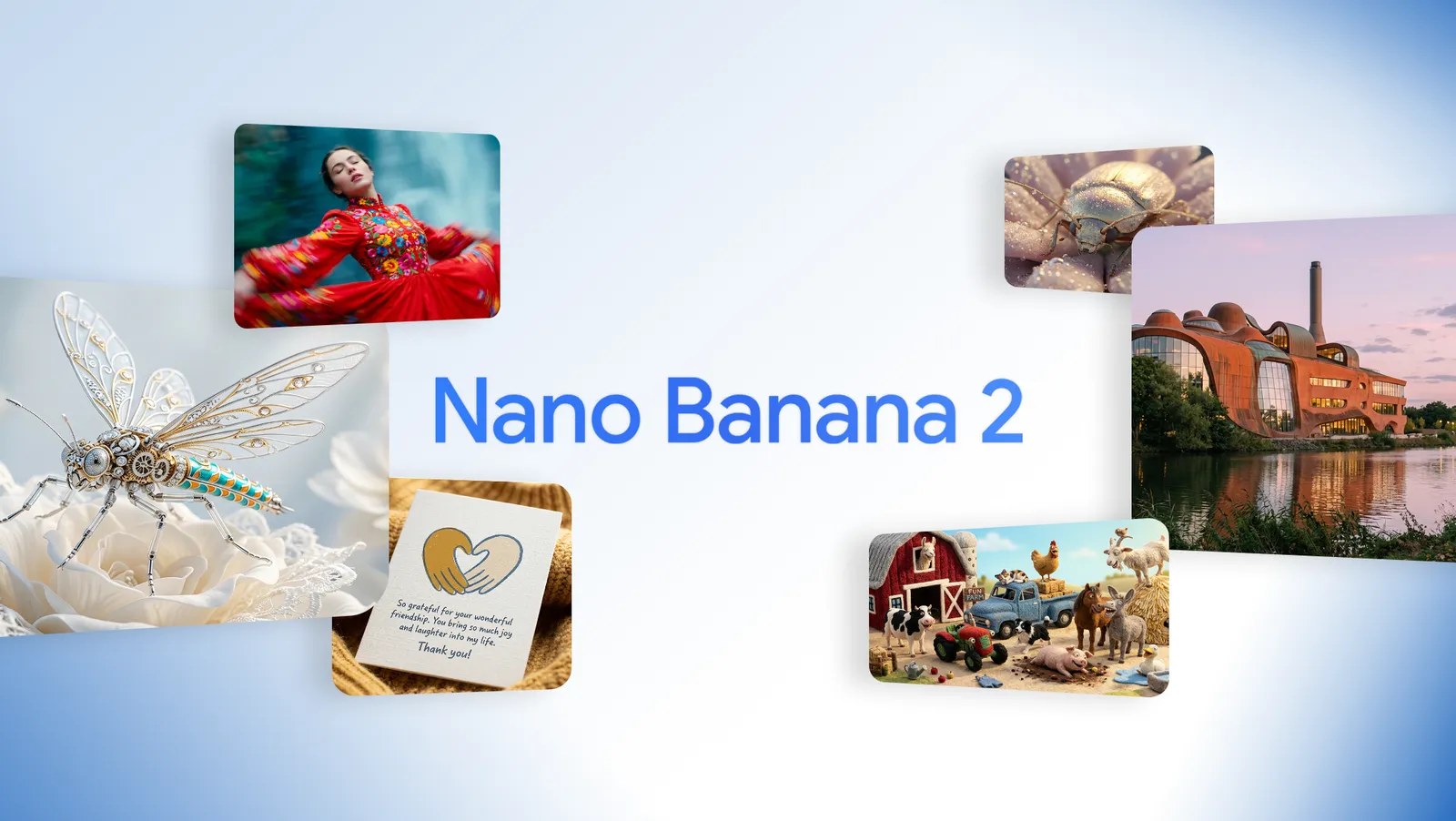
Nano Banana 2 is Google's Gemini 3.1 Flash Image model for high-quality image generation and editing. It is designed for developers who need Flash-speed creation with Pro-level visual quality, strong prompt understanding, improved reasoning, accurate text inside images, and consistent subjects across creative workflows. Through ApiPass, Nano Banana 2 supports text-to-image generation, image editing with reference images, multi-image fusion with up to 14 input images, 1K, 2K, and 4K output, multiple aspect ratios, and jpg or png output formats.
ApiPass provides Nano Banana 2 text-to-image access powered by Gemini 3.1 Flash Image. Send a natural language prompt and generate high-quality visuals with fast generation speed, strong prompt understanding, and production-ready detail for scalable creative workflows.
Use the Nano Banana 2 image-to-image workflow to transform or refine reference images through text prompts. It supports precise editing, style transfer, subject transformation, background changes, and visual refinement while maintaining subject consistency and coherent composition.
Nano Banana 2 accepts up to 14 reference images through image_input, enabling multi-image composition and fusion. Developers can combine characters, products, clothing, environments, or style references into one coherent output while guiding the relationship between inputs in the prompt.
Nano Banana 2 supports production-ready 4K output and flexible aspect ratios including 4:1, 1:4, and 8:1. This makes it useful for banners, ads, cinematic layouts, social media assets, product visuals, and other formats that require precise framing.
Nano Banana 2 combines Gemini 3.1 Flash Image speed with strong visual quality. Developers can create rich lighting, sharp textures, and polished images without slowing down automated pipelines or high-volume creative production.
Built on Gemini 3.1 Flash Image, Nano Banana 2 improves reasoning, spatial understanding, and world knowledge. This helps the API follow complex prompts, understand real-world context, and produce visuals that better match user intent.
Nano Banana 2 improves readable text inside generated images. It is well suited for marketing visuals, posters, packaging concepts, presentation graphics, UI mockups, and other assets where text clarity matters.
Nano Banana 2 maintains strong subject consistency across characters, objects, and visual sequences. This helps developers build storyboards, avatar flows, product variations, and multi-image edits without losing identity or design coherence.
Nano Banana 2 follows complex prompts more accurately, giving developers better control over composition, style, lighting, subject placement, and fine details. This improves predictability and reduces trial-and-error in creative production.
Create impossible selfies by adding new elements, changing scenes, or transforming visual style while keeping identity consistent. Use Nano Banana 2 to power fun, shareable portrait experiences for consumer, social, and entertainment apps.
Combine multiple photos into one coherent image with image_input. Merge characters, clothing, products, backgrounds, and style references while preserving visual balance for creative tools, social content, and commercial workflows.
Transform real photos into figurine-style visuals, stylized avatars, collectibles, or character assets while preserving the subject's identity. This is useful for avatar builders, gaming assets, branded merchandise, and creative apps.
Let users explore different looks by changing hairstyle, fashion, color palette, environment, or visual style from a single reference image. Nano Banana 2 supports fast experimentation for makeover, fashion, and personalization products.
Compare Nano Banana 2 with related Nano Banana models to choose the best option for your generation and editing workflow.
Nano Banana 2 upgrades the original Nano Banana with higher visual fidelity, faster generation, stronger reasoning, and support for 4K output powered by Gemini 3.1 Flash Image. Nano Banana focuses on lightweight image creation, while Nano Banana 2 delivers sharper details and production-ready quality for modern developer workflows.
Nano Banana 2 focuses on Flash-speed generation with strong visual quality, making it suitable for rapid workflows and scalable production. Nano Banana Pro is designed for maximum fidelity and advanced control when projects require higher precision or deeper reasoning. ApiPass lets developers choose based on speed, quality, and cost needs.
Credit consumption is based on output resolution. 1K costs 10 credits, 2K costs 15 credits, and 4K costs 22 credits. Higher resolutions produce more detail and typically take longer to generate.
Use the default channel value auto to let ApiPass route tasks across available providers based on pricing and stability. Developers can also choose starter, regular, or official when a specific provider tier is required.
New users can use free credits to test Nano Banana 2 before production integration. Try text-to-image, image editing, multi-image fusion, different resolutions, and aspect ratios in the ApiPass Playground.
Create Task returns a taskId after the request is accepted. Final success or failure is confirmed through callback notifications or the Query Task endpoint, and generated image URLs are available in resultJson.resultUrls when the task succeeds.
Start in the ApiPass Playground to test Nano Banana 2 with free credits. Explore prompt-based image generation, image editing, reference-image workflows, output formats, resolutions, and aspect ratios before writing integration code.
Create an ApiPass API key and review the Nano Banana 2 API documentation. Use model google/nano-banana-2, send requests to /api/v1/jobs/createTask, and keep prompt, image_input, aspect_ratio, resolution, and output_format inside the input object.
Submit a POST request to https://api.apipass.dev/api/v1/jobs/createTask with Authorization: Bearer YOUR_API_KEY. The response returns data.taskId, which you should save for polling, callback matching, debugging, and result retrieval.
Provide callBackUrl to receive a POST notification when the task reaches success or fail, or poll /api/v1/jobs/recordInfo?taskId=TASK_ID. When state is success, parse resultJson and read resultUrls to access the generated image URLs.
All APIs require authentication via Bearer Token.
Authorization: Bearer
Use the SDK to create tasks, store the returned taskId, and retrieve results for Google Nano Banana 2.
Install @apipass-dev/apipass-sdk before running these SDK examples.
1npm install @apipass-dev/apipass-sdk
2# or
3pnpm add @apipass-dev/apipass-sdk
4# or
5yarn add @apipass-dev/apipass-sdkKeep your API key in server-side environment variables. The SDK sends it as a Bearer token and adds JSON headers automatically.
client.jobs.createTaskSubmit a new Nano Banana 2 image generation or editing task
Use this example to get started quickly with the selected SDK.
1import { Apipass, Models } from "@apipass-dev/apipass-sdk";
2
3const client = new Apipass({
4  apiKey: process.env.APIPASS_API_KEY!,
5});
6
7const task = await client.jobs.createTask({
8  "model": Models.NanoBanana2,
9  "callBackUrl": "https://your-domain.com/api/callback",
10  "input": {
11    "prompt": "A serene alpine lake reflecting snow-capped mountains at golden hour, photorealistic",
12    "aspect_ratio": "16:9",
13    "resolution": "1K",
14    "google_search": false,
15    "image_search": false,
16    "output_format": "jpg"
17  }
18});
19
20console.log(task.data.taskId);The API accepts a JSON payload with the following structure:
1{
2  "model": "string",
3  "callBackUrl": "string (optional)",
4  "channel": "auto",
5  "input": {
6    // Input parameters
7  }
8}modelRequiredstringThe model name to use for generation
"google/nano-banana-2"
callBackUrlOptionalstringCallback URL for task completion notifications. If omitted, no callback will be sent.
"https://your-domain.com/api/callback"
channelOptionalstringYou may specify the corresponding provider within APIPASS via the channel parameter; these providers handle the actual image and video generation tasks. APIPASS currently offers three provider options:
The default value for the channel parameter is auto. When enabled, APIPASS automatically allocates tasks across available providers based on real-time pricing and stability metrics to balance minimal cost and reliable performance. Retain the default auto value unless you have custom routing requirements.
Available options:
auto
The input object contains the following parameters:
input.promptRequiredstringA text description of the image you want to generate
Describe the subject, style, lighting, and composition for best results
"A serene alpine lake reflecting snow-capped mountains at golden hour, photorealistic"
input.image_inputOptionalarray(URL)Input images to transform or use as reference. Supports up to 14 images.
Accepted types: image/jpeg, image/png; Max size: 30MB per image; Max files: 14
["https://example.com/reference.jpg"]
input.aspect_ratioOptionalstringAspect ratio of the generated image. Defaults to match_input_image when image_input is provided, otherwise 1:1.
Available options:
"16:9"
input.resolutionOptionalstringResolution of the generated image. Higher resolutions produce more detail but take longer to generate. Default: 1K.
Available options:
"1K"
input.output_formatOptionalstringFormat of the output image. Default: jpg.
Available options:
"jpg"
1{
2  "code": 200,
3  "message": "success",
4  "data": {
5    "taskId": "task_12345678"
6  }
7}codeStatus code, 200 for success, others for failure
messageResponse message, error description when failed
data.taskIdTask ID for querying task status and results
When callBackUrl is provided, ApiPass will POST the task result to your endpoint upon completion.
1{
2    "code": 200,
3    "data": {
4        "completeTime": 1755599644000,
5        "costTime": 12,
6        "createTime": 1755599632000,
7        "model": "google/nano-banana-2",
8        "param": "{\"model\":\"google/nano-banana-2\",\"input\":{\"prompt\":\"A serene alpine lake\",\"aspect_ratio\":\"16:9\",\"resolution\":\"1K\"}}",
9        "resultJson": "{\"resultUrls\":[\"https://cdn.apipass.dev/results/nano-banana-2-output.jpg\"]}",
10        "state": "success",
11        "taskId": "task_12345678",
12        "failCode": null,
13        "failMsg": null
14    },
15    "msg": "Task completed successfully."
16}1{
2 "code": 501,
3 "data": {
4 "completeTime": 1755599644000,
5 "costTime": 0,
6 "createTime": 1755599632000,
7 "failCode": "500",
8 "failMsg": "Internal server error",
9 "model": "google/nano-banana-2",
10 "param": "{\"model\":\"google/nano-banana-2\",\"input\":{\"prompt\":\"A serene alpine lake\",\"aspect_ratio\":\"16:9\",\"resolution\":\"1K\"}}",
11 "state": "fail",
12 "taskId": "task_12345678",
13 "resultJson": null
14 },
15 "msg": "Task failed."
16}client.jobs.recordInfoQuery the status and results of a Nano Banana 2 generation task by task ID
Use this example to get started quickly with the selected SDK.
1import { Apipass } from "@apipass-dev/apipass-sdk";
2
3const client = new Apipass({
4  apiKey: process.env.APIPASS_API_KEY!,
5});
6
7const result = await client.jobs.recordInfo("task_12345678");
8
9console.log(result.data.state);
10console.log(result.data.resultJson);1{
2 "code": 200,
3 "message": "success",
4 "data": {
5 "taskId": "task_12345678",
6 "state": "success",
7 "model": "google/nano-banana-2",
8 "createTime": 1755599632000,
9 "completeTime": 1755599644000,
10 "costTime": 12,
11 "resultJson": "{\"resultUrls\":[\"https://cdn.apipass.dev/results/nano-banana-2-output.jpg\"]}"
12 }
13}codeStatus code, 200 for success, others for failure
messageResponse message, error description when failed
data.taskIdThe task ID
data.stateCurrent task state: waiting / queuing / generating / success / fail
data.resultJsonJSON string containing resultUrls array with the generated image URL(s)
All APIs require authentication via Bearer Token.
Authorization: Bearer
Submit a new Nano Banana 2 image generation or editing task
The API accepts a JSON payload with the following structure:
1{
2  "model": "string",
3  "callBackUrl": "string (optional)",
4  "channel": "auto",
5  "input": {
6    // Input parameters
7  }
8}modelRequiredstringThe model name to use for generation
"google/nano-banana-2"
callBackUrlOptionalstringCallback URL for task completion notifications. If omitted, no callback will be sent.
"https://your-domain.com/api/callback"
channelOptionalstringYou may specify the corresponding provider within APIPASS via the channel parameter; these providers handle the actual image and video generation tasks. APIPASS currently offers three provider options:
The default value for the channel parameter is auto. When enabled, APIPASS automatically allocates tasks across available providers based on real-time pricing and stability metrics to balance minimal cost and reliable performance. Retain the default auto value unless you have custom routing requirements.
Available options:
auto
The input object contains the following parameters:
input.promptRequiredstringA text description of the image you want to generate
Describe the subject, style, lighting, and composition for best results
"A serene alpine lake reflecting snow-capped mountains at golden hour, photorealistic"
input.image_inputOptionalarray(URL)Input images to transform or use as reference. Supports up to 14 images.
Accepted types: image/jpeg, image/png; Max size: 30MB per image; Max files: 14
["https://example.com/reference.jpg"]
input.aspect_ratioOptionalstringAspect ratio of the generated image. Defaults to match_input_image when image_input is provided, otherwise 1:1.
Available options:
"16:9"
input.resolutionOptionalstringResolution of the generated image. Higher resolutions produce more detail but take longer to generate. Default: 1K.
Available options:
"1K"
input.output_formatOptionalstringFormat of the output image. Default: jpg.
Available options:
"jpg"
1curl -X POST "https://api.apipass.dev/api/v1/jobs/createTask" \
2  -H "Content-Type: application/json" \
3  -H "Authorization: Bearer YOUR_API_KEY" \
4  -d '{
5    "model": "google/nano-banana-2",
6    "callBackUrl": "https://your-domain.com/api/callback",
7    "input": {
8      "prompt": "A serene alpine lake reflecting snow-capped mountains at golden hour, photorealistic",
9      "aspect_ratio": "16:9",
10      "resolution": "1K",
11      "google_search": false,
12      "image_search": false,
13      "output_format": "jpg"
14    }
15 }'1{
2 "code": 200,
3 "message": "success",
4 "data": {
5 "taskId": "task_12345678"
6 }
7}codeStatus code, 200 for success, others for failure
messageResponse message, error description when failed
data.taskIdTask ID for querying task status and results

flux
flux
Generate photorealistic images with robust text
Starting from
0 credits
Nano Banana 2 Lite, aka Gemini 3.1 Flash-Lite Image, is a newly released image model from Google DeepMind built for fast 1K image generation, efficient creative iteration, prompt-based image editing, and responsive visual output in product-facing creative scenarios.
Starting from
0 credits
OpenAI
OpenAI
Generate intentionally designed visuals with less prompting using the latest OpenAI GPT Image 2 model.
Starting from
0 credits
Qwen
Qwen
Starting from
0 credits
Nano Banana now allows you to freely draw on edited images, bringing you a completely new experience. Simply click on the image to draw whatever you want. You can also add text and details, and Gemini will do the rest.
Starting from
0 credits
seedream
seedream
Starting from
0 credits
grok
grok
Grok Imagine is xAI’s AI video generation model for creating high-quality videos with realistic motion, native audio, and synchronized speech. Grok Imagine 1.5 introduces faster generation speeds, improved motion physics, and stronger visual consistency for modern AI video applications.
Starting from
0 credits
qwen
qwen
Generate realistic 2K images with structured text
Starting from
0 credits
seedream
seedream
Starting from
0 credits
OpenAI
OpenAI
Bring your ideas to life with sharper, faster, more precise image generation using the GPT Image 2.5 API.
Starting from
0 credits
wan
wan
Generate images with cinematic precision through high-fidelity text-to-image synthesis and structural editing.
Starting from
0 credits
seedream
seedream
Gemini said Generate images with lightning-fast efficiency and high-fidelity detail through a streamlined, lightweight architecture optimized for instant creative expression.
Starting from
0 creditsqwen
qwen
Generate realistic 2K images with structured text
Starting from
0 credits
Luma
Luma
Starting from
0 credits
seedream
seedream
Starting from
0 credits